How do you set up an OnlyFans account as a man?
Follow this order. Most early mistakes come from promoting a page before it is ready.
- 01
Create a dedicated email
Open a new email address used only for creator platforms. It keeps platform mail out of your personal inbox and makes it easier to stay private later.
- 02
Verify your identity
OnlyFans only accepts creators aged 18 or older and checks a government-issued ID before you can earn. Use your real details; the check happens between you and the platform, not on your public profile.
- 03
Add payout details
Link a bank account in your own name. Earnings are paid in US dollars, so creators in the UK, Canada or Australia should compare what their bank charges for conversion.
- 04
Build the profile
Choose a username you have never used anywhere else, add a profile photo and banner that fit your niche, and write a bio that says what fans get and how often you post.
- 05
Set your price
Pick a subscription between $4.99 and $50 a month, or make the page free and earn through messages. You can change it later, so treat the first price as a test.
- 06
Stock the page before promoting
Upload around 20 posts and prepare a few locked messages before you share your link anywhere. A visitor who finds three posts leaves; one who finds twenty has a reason to stay.
Which niche should you choose as a male creator?
Choose the niche where your look, your limits and a paying audience overlap. For male creators most of that audience is other men, with gay and bi men at its core, so strong niches are built around what those fans search for.
Common directions include fitness and muscle, bears, daddies, jocks, couples and fetish-friendly content within the limits you set. Body type, age and style are assets here: a stocky bearded man of 40 has a clear audience, and so does a lean runner of 26.
Straight creators face a choice early. You can market to women only, but that usually means fewer buyers. Some straight guys keep their content the same and simply accept that most of their fans are men. Decide before you write your bio, because the bio tells visitors who the page is for. If your audience is mainly gay men, our gay OnlyFans agency page goes into more detail. Adult twink creators aged 25 and over have a dedicated Bunny Agency team at twink.bunny-agency.com.
How should you price your page at the start?
Start with a price that makes it easy for the first subscribers to say yes, then raise it once the page proves itself. OnlyFans allows $4.99 to $50 a month, and a new page with no reputation rarely justifies the top of that range.
A paid page earns from every renewal and shows you clearly who values your content. A free page grows its follower list faster and earns through PPV and tips, which turns messaging into your main job. If you are unsure, start paid at a moderate price and use free-trial links in your promotion, so every channel you test brings in subscribers you can track.
Bundles of three or six months at a discount help once you have regulars, because they lock in renewals. For how price affects income over time, read our guide on what male OnlyFans creators make.
What gear do you need to start?
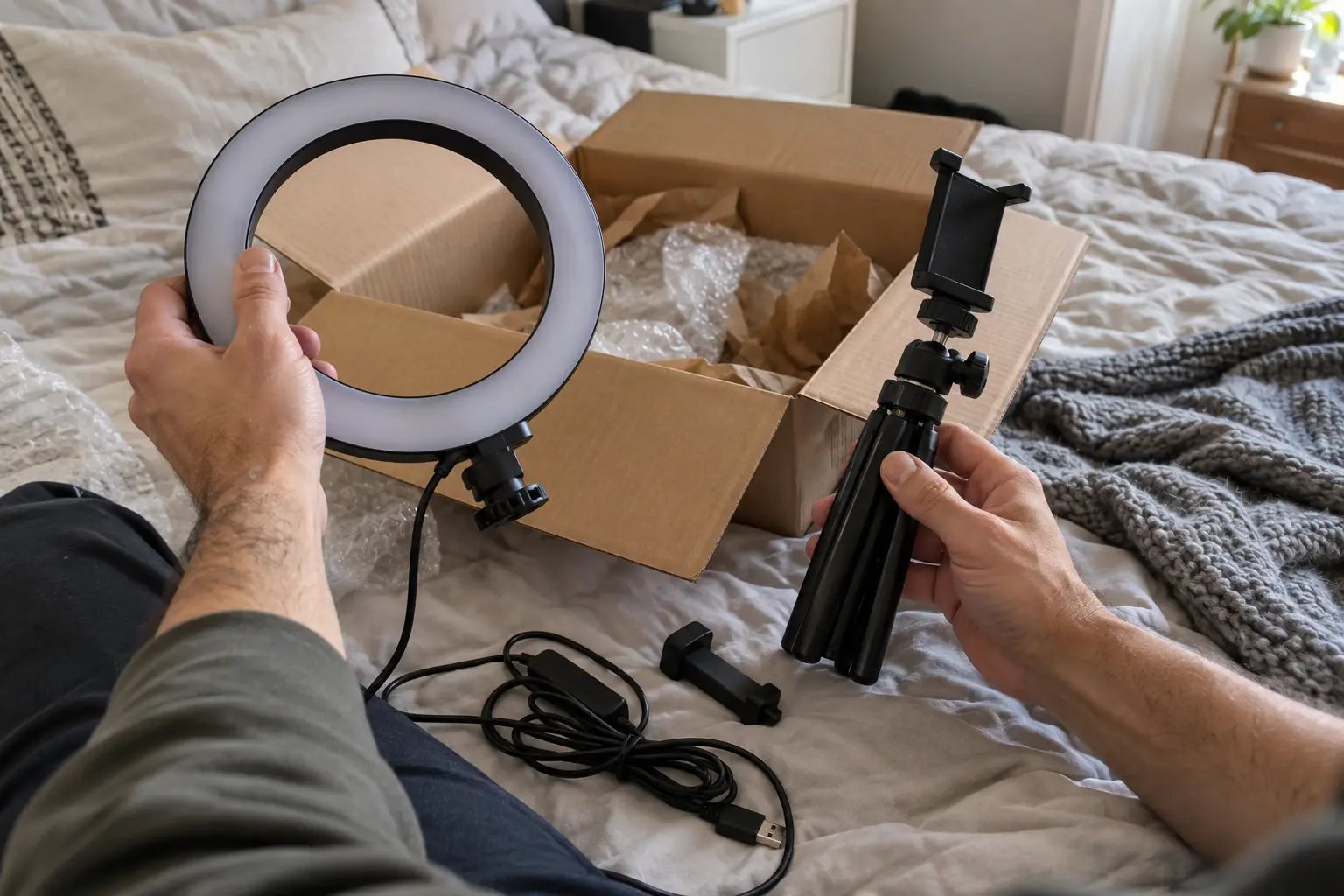
Less than you might think. A recent phone does most of the work, and light is what separates amateur from appealing.
| Item | Why it matters | If you’re on a budget |
|---|---|---|
| Phone with a good rear camera | The rear lens films in better quality than the selfie camera | Use the phone you have and clean the lens before every shoot |
| Ring light or softbox | Even light flatters skin and shows muscle definition | Film facing a window in daylight |
| Tripod with phone mount | Frees your hands and keeps angles steady | Prop the phone on books and use the timer |
| Plain background | Looks cleaner and reveals less about your home | A bare wall or a neutral bedsheet |
| Clip-on microphone | Clear sound for voice notes and talking clips | Record in a small room with soft furnishings |
| Backup storage | Your content library is your stock in trade | An external drive, backed up weekly |
Upgrade only after the page earns. Better light usually pays off before a better camera does.
What should your first 20 posts include?
Your first 20 posts work as a shop window: they should show your range, your niche and the value of subscribing. Plan them as a set instead of uploading whatever is on your camera roll.
Mix the formats
Combine short videos, photo sets and personal posts such as a short introduction clip, a poll or a behind-the-scenes shot from your shoot. The mix tells a new subscriber what the coming months will look like.
Hold your best material back
Keep your strongest content for PPV messages and later posts. New subscribers should find enough to justify the price and a clear sign that more is on the way.
Stay inside limits you can keep
Only post what you are comfortable with long term. Fans subscribe for what they see, and pulling back later costs renewals. Anyone else who appears must be a verified adult who has consented, as OnlyFans’ acceptable use policy requires.
Do you need to register as self-employed?
Usually, yes. OnlyFans pays you as an independent creator, not as an employee, so declaring the income is your responsibility from the first payout. Whether and when you have to register depends on your country and your situation.
In the US, creators are typically treated as self-employed and report the income on Schedule C; you may also receive a Form 1099. In the UK, the route is registering as a sole trader for HMRC Self Assessment. Canada and Australia have their own equivalents, and our creator FAQ names the terms to look up there.
We don’t give tax advice, and rates and thresholds change. Talk to a local accountant or tax adviser before your first payout, keep receipts for gear and software, and set part of each payout aside until you know what you owe.
What should your first 30 days look like?
A realistic first month balances content, promotion and learning from your own numbers.
| Week | Focus | Done when |
|---|---|---|
| Week 1 | Verify the account, write the bio, shoot and upload about 20 posts | The page looks active to a first-time visitor |
| Week 2 | Open one or two promotion channels, usually Reddit and X, after reading each community’s rules | You post daily on each channel without removals |
| Week 3 | Send your first PPV message, set up a welcome message and reply to every DM within hours | Every new subscriber gets a personal welcome |
| Week 4 | Review subscribers, churn, revenue per subscriber and which channel brought fans | You know which channel to double down on and which to drop |
The channel-by-channel details are in our guide on how to promote OnlyFans as a guy.
Which mistakes do new male creators make?
The same handful of errors cost new creators months. Each one is easy to avoid if you know it in advance.
Reusing a personal username
A handle you have used on Instagram or a gaming site connects your creator page to your real identity in a single search. Pick a new one. Our guide to anonymous OnlyFans for men covers the other details that give creators away.
Promoting an empty page
Traffic you send to a page with three posts is traffic you lose, and those visitors rarely come back. Stock the page first.
Leaving messages unread
Fans spend money in DMs. A message left unanswered for a day costs a sale today and often a renewal next month.
Spamming communities
Reddit and X communities ban accounts that drop the same link everywhere. Read the rules, post content made for each community and build your account’s history before you promote hard.
Crossing your own limits
Content you regret cannot be recalled once it has been sold or leaked. Write your limits down before you start and change them only on your own terms.
When does an agency make sense for a beginner?
An agency makes sense once you know you want to do this seriously and would rather spend your time creating than chatting and promoting. Bunny Agency takes on beginners as well as established creators, and there is no upfront fee.
The trade-off is the revenue share: 25–50% depending on how much you hand over, written into your offer. Read how our commission works and what onboarding looks like, and when you are ready, send an application. Every application gets a personal answer within 24–48 hours.